Ghost Driver Controls Guide: Shop, Rewards, Codes, and Highway Basics
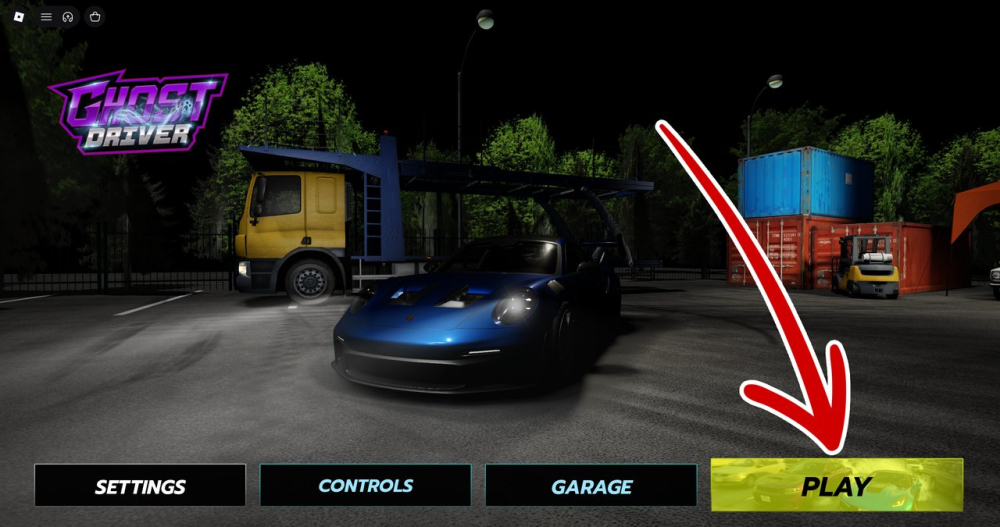
A quick Ghost Driver controls guide covering the Shop menu, Rewards/Codes tab, dealership decisions, and essential highway habits for new players.
Many new Ghost Driver players lose time because they search for controls while traffic is moving. Learn the menu path before a serious run so your attention stays on the road.
## Where to find the Shop
After launching Ghost Driver on Roblox, press Play and look for the Shop icon on the left side of the screen. The Shop is the starting point for vehicle purchases and the Rewards/Codes tab.
## How to open Rewards/Codes
Inside Shop, choose the Rewards/Codes tab and scroll to the Redeem Codes section. Paste a working code into the field and press Redeem. If the button does nothing, check for extra spaces, restart the experience, and verify the code has not expired.
## Check the dealership before buying
The game is in PRE-ALPHA, so vehicle names, prices, and performance may change. Use the current in-game dealership as the source of truth. Read the handling and acceleration information, not only the top-speed number.
## Highway basics
Scan ahead, move early, and keep an exit lane. New players often make a good decision but execute it too late. The safest habit is to anticipate traffic instead of reacting to the bumper directly in front of the car.
## If your interface looks different
Updates can move buttons or rename tabs. Leave the current session, rejoin the experience, and check for an available Roblox update. Community guides are helpful, but screenshots from an older build may not match your screen.
Knowing the menu flow is a small advantage that prevents avoidable mistakes. Redeem codes in the Shop, test purchases in a controlled run, and return to the highway with a clear plan.
Sources / Image credit: Image: https://oyster.ignimgs.com/mediawiki/apis.ign.com/ghost-driver-roblox/2/25/Ghost_Driver_Codes_%281%29.png Image credit: IGN Ghost Driver guide screenshot Source: https://www.ign.com/wikis/ghost-driver-roblox/Ghost_Driver_Codes_(August_2026) Source: https://progameguides.com/roblox/ghost-driver-codes/
📚 Related Guides
Ghost Driver vs Shutoko-Style Highway Driving: What Is Similar and Different
How Ghost Driver compares with the Shutoko-style highway driving experience, including traffic flow, risk, multiplayer pressure, and Roblox accessibility.
Ghost Driver 1v1 Highway Racing Guide: Lines, Timing, and Recovery
Prepare for Ghost Driver 1v1 highway races with advice on racing lines, traffic awareness, clean overtakes, and recovering from a bad start.
Ghost Driver Beginner Guide: How to Survive Your First Highway Run
New to Ghost Driver on Roblox? Learn the safest opening routine, traffic habits, Cash basics, and the mistakes that end a run early.
Ghost Driver Player Stats: How to Read Visits, Favorites, and Online Counts
Learn how to interpret Ghost Driver player counts, visits, favorites, and approval ratings without confusing a live snapshot with long-term popularity.
Ghost Driver FAQ: Codes, Cash, Cars, and Common Problems
Answers to the most common Ghost Driver questions, including where to enter codes, how Cash works, why codes expire, and why car lists change.
Ghost Driver Update Watch: How to Track New Cars and Codes
Track Ghost Driver updates more reliably with a simple checklist for new cars, balance changes, UI changes, and milestone codes.