Control Resonant: How to Balance Performance and Visuals
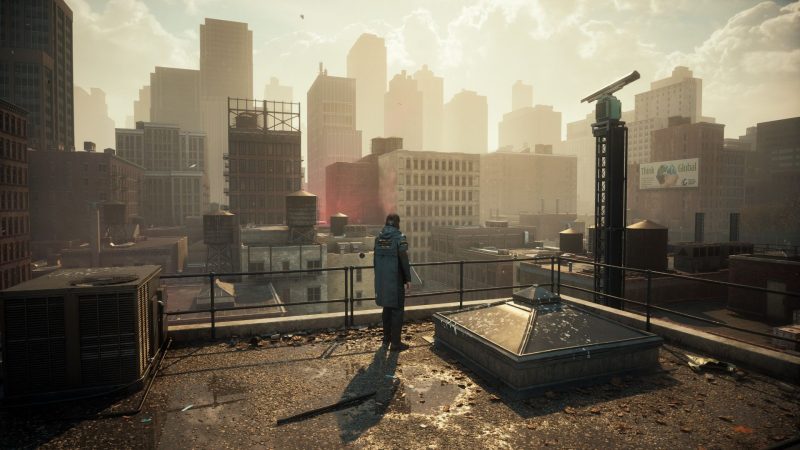
Players can achieve smoother gameplay without sacrificing too much visual quality, making the game more accessible to a wider range of hardware.
Players can achieve smoother gameplay without sacrificing too much visual quality, making the game more accessible to a wider range of hardware.
Key points - Control Resonant does not require maximum graphics settings to look impressive. - Lower graphics presets still provide both performance and beauty. - Adjusting ray tracing settings can help find a sweet spot. - Players can optimize their experience by experimenting with different presets.
Timeline - Recent: Findings suggest max settings are not necessary for Control Resonant.
FAQ
Q: Do I need to max out Control Resonant's graphics to enjoy it? A: No, lower presets still offer great visuals and better performance.
Q: What setting should I tweak first for better performance? A: Ray tracing is the key setting to adjust for a balance of visuals and performance.
Q: Will lowering settings make the game look bad? A: Not at all—the game still looks beautiful on lower presets, according to the source.
📰 Related Articles
Control Resonant Handheld Performance: What Players Need to…
Handheld players may need to accept compromises in visuals and performance to enjoy Control Resonant on the go, with the ROG Ally offering a slight edge over the Steam Deck.
What Monster Hunter Wilds' Switch 2 Performance Means for Yo…
Players planning to pick up Monster Hunter Wilds on Switch 2 should expect a 30fps experience, with more visual options available when playing docked.
Where Winds Meet: Mobile vs PC Performance Showdown
Compare Where Winds Meet on PC and mobile: FPS, graphics, controls, and cross-save tips for a seamless experience.
Where Winds Meet: Best PC Settings for Peak Performance
Optimize Where Winds Meet on PC with these settings for higher FPS and smoother combat.
Peter Cullen's Final Optimus Prime Performance Hits Theaters Soon
A new Transformers short, 'Optimus Prime: Awakening,' will feature Peter Cullen's last time voicing Optimus Prime. It hits theaters before the original movie's screenings.
Where Winds Meet Silkbind Deluge Solo vs Group Performance Guide
Understand the strengths and limits of Silkbind Deluge in solo and group content, and when to switch from pure healing to a more damage-focused build.