Where Winds Meet QR Face Codes: How to Scan and Save Presets
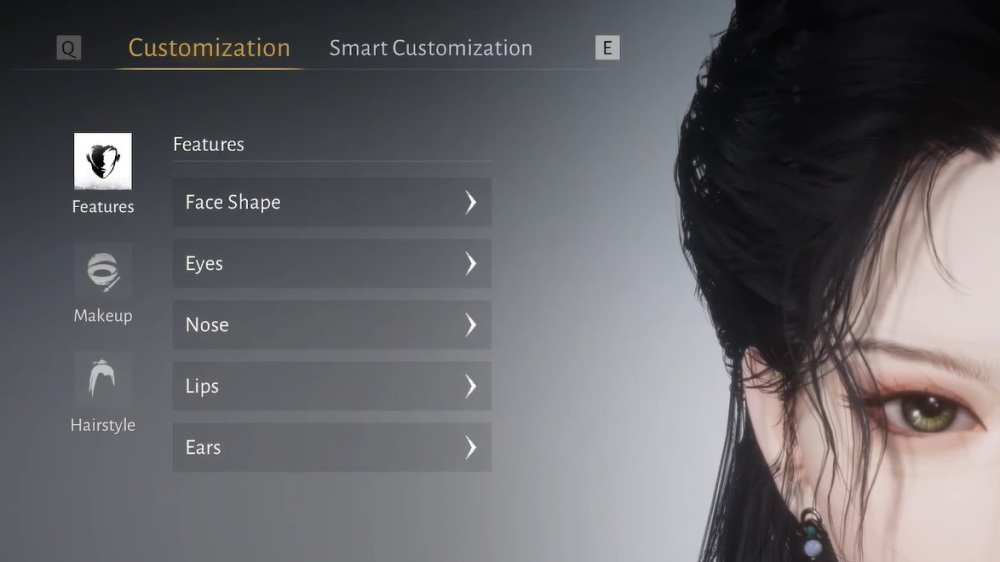
Use QR-based face presets in Where Winds Meet, avoid text-copy errors, and save your own character customization code after editing.
QR face codes can be easier to use than long appearance strings, especially when a code contains plus signs, capital letters, or characters that messaging apps alter.
## Start in the right menu
Open Character Creation or Appearance, enter the Customization tab, and choose Import Customization Data. Use the QR/image option shown in the current client.
## Use a clear image
The QR must be complete, sharp, and large enough for the game to read. Avoid screenshots covered by chat overlays, compression artifacts, or cropped corners.
## Preview the result
After the scan, inspect the face, hair, makeup, and accessories. Missing cosmetics may be skipped, so compare the result with the creator's reference image before applying it.
## Save your edited preset
If the game offers export or share customization data, save your version after editing. Keep both the original QR and your new code so you can compare later.
## QR versus text
QR import reduces typing errors, but text is easier to archive and search. Keep a text copy when the creator provides one, and keep a screenshot of the QR if that is the only available format.
## Safety note
Only scan appearance data inside the game's customization workflow. Do not install unknown QR readers, executable converters, or files advertised as premium cosmetic unlockers.
Sources / Image credit: Image: https://static.wherewindsmeet.org/guides/the-great-faceologist/step-4-choose-preset.webp Image credit: Where Winds Meet character customization workflow Source: https://www.dexerto.com/wikis/where-winds-meet/best-character-customization-codes/ Source: https://wherewindsmeet.org/guides/character-creation-codes Source: https://game8.co/games/Where-Winds-Meet/archives/564719
📚 Related Guides
Where Winds Meet's Hidden Mountain Expansion Goes Eastern Steampunk
Where Winds Meet is getting a 2.0 update with the Hidden Mountain expansion on July 23, bringing an Eastern Steampunk world full of ancient machinery, floating cities, and mechanical bosses.
Where Winds Meet: Heaven's Threshold Drops August 20
Where Winds Meet's Hidden Mountain expansion continues August 20 with Heaven's Threshold, bringing giant mechanical bosses and a new mountain region.
Is the Where Winds Meet Monthly Pass Worth It? A First-Charge Value Guide
The $5 Monthly Pass in Where Winds Meet offers great first-charge value with Echo Beads, daily Jade, and VIP access—here's the verdict.
Where Winds Meet: Mobile vs PC Performance Showdown
Compare Where Winds Meet on PC and mobile: FPS, graphics, controls, and cross-save tips for a seamless experience.
Where Winds Meet Pre-Registration Rewards: How to Claim Them
Learn how to claim Where Winds Meet pre-registration rewards, including all milestones and steps to avoid missing out.
Where Winds Meet Sword vs Spear: Which Starter Weapon Is Best?
Compare Where Winds Meet's sword and spear starter weapons for PvE and PvP, with tips on combos and upgrades.