Where Winds Meet Character Creation Codes FAQ: Import, Edit, and Fix
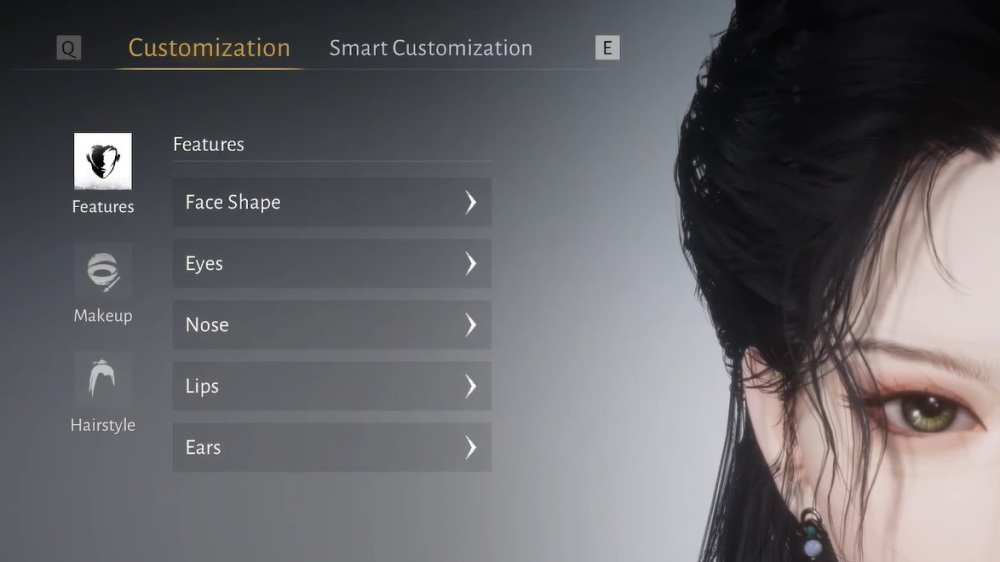
Answers to the most common Where Winds Meet character creation code questions, including import location, QR codes, missing cosmetics, and appearance changes.
## Are character creation codes reward codes?
No. They are appearance presets. Enter them in Import Customization Data, not in a gift or reward-code box.
## Where do I import a code?
Open Character Creation or Appearance, go to the Customization tab, and choose Import Customization Data. Paste the full text string or use the QR/image option if available.
## Why did only the face load?
The preset may reference cosmetics you do not own. Hair, makeup, accessories, and clothing can be skipped while the facial structure still imports correctly.
## What if the code has a typo?
Copy it again and check capital letters, plus signs, spaces, and missing characters. Try QR import if the creator provides an image.
## Can I change my appearance later?
Current walkthroughs point to the underground catacombs at Evercare Clinic, where Cheng Xin can offer Change Disguise after the relevant story progress.
## Can I save my own code?
Use the game's export or share customization option when available, and keep a screenshot as a backup.
## Are old code lists still reliable?
Not always. Presets can be removed, cosmetics can change, and code lists can be copied without testing. Prefer sources with dates and screenshots.
## Is it safe to use a converter?
Avoid unknown executables and never provide account credentials. A normal appearance preset should not require an external program to enter it in game.
The safest approach is simple: import in the correct menu, preview before applying, keep a backup, and treat every code as a community snapshot rather than a permanent guarantee.
Sources / Image credit: Image: https://static.wherewindsmeet.org/guides/the-great-faceologist/step-4-choose-preset.webp Image credit: Where Winds Meet character customization workflow Source: https://www.dexerto.com/wikis/where-winds-meet/best-character-customization-codes/ Source: https://wherewindsmeet.org/guides/character-creation-codes Source: https://game8.co/games/Where-Winds-Meet/archives/564719
📚 Related Guides
Where Winds Meet's Hidden Mountain Expansion Goes Eastern Steampunk
Where Winds Meet is getting a 2.0 update with the Hidden Mountain expansion on July 23, bringing an Eastern Steampunk world full of ancient machinery, floating cities, and mechanical bosses.
Where Winds Meet: Heaven's Threshold Drops August 20
Where Winds Meet's Hidden Mountain expansion continues August 20 with Heaven's Threshold, bringing giant mechanical bosses and a new mountain region.
Is the Where Winds Meet Monthly Pass Worth It? A First-Charge Value Guide
The $5 Monthly Pass in Where Winds Meet offers great first-charge value with Echo Beads, daily Jade, and VIP access—here's the verdict.
Where Winds Meet: Mobile vs PC Performance Showdown
Compare Where Winds Meet on PC and mobile: FPS, graphics, controls, and cross-save tips for a seamless experience.
Where Winds Meet Pre-Registration Rewards: How to Claim Them
Learn how to claim Where Winds Meet pre-registration rewards, including all milestones and steps to avoid missing out.
Where Winds Meet Sword vs Spear: Which Starter Weapon Is Best?
Compare Where Winds Meet's sword and spear starter weapons for PvE and PvP, with tips on combos and upgrades.