Where Winds Meet Character Codes: How to Import Text or QR Presets
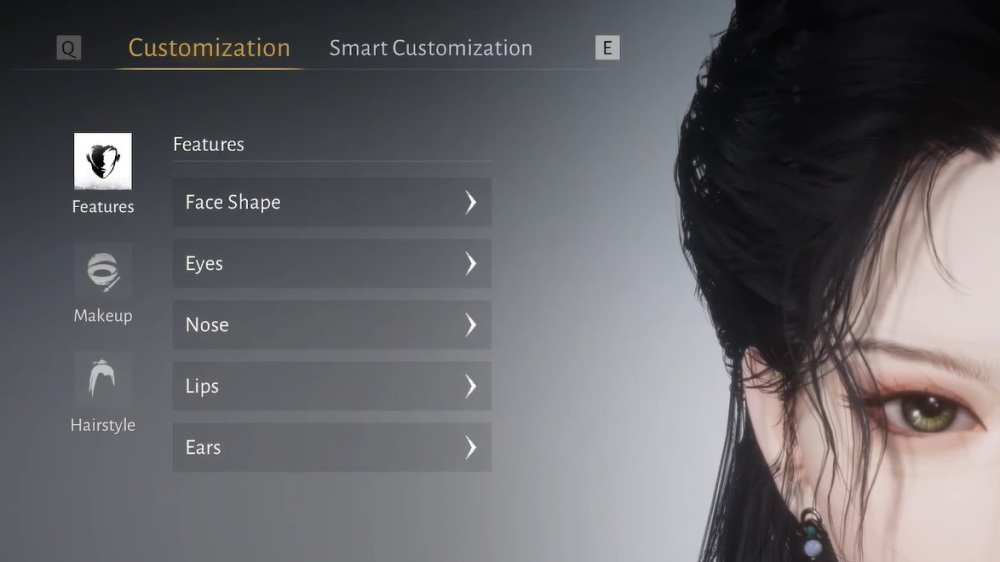
Learn the current Where Winds Meet workflow for importing text character codes or QR presets and checking every cosmetic before saving.
Where Winds Meet supports community appearance presets through a customization import workflow. Depending on how the creator shared the preset, you may receive a text string or a QR image.
## Text import
1. Open Character Creation or Appearance. 2. Choose the Customization tab. 3. Select Import Customization Data. 4. Paste the complete code into the field. 5. Preview the face and cosmetics. 6. Apply and save only after checking the result.
## QR import
If a creator provides a QR image, use the same Import Customization Data flow and choose the QR/image option shown by your client. QR is useful when a text code contains characters that are easy to confuse or when a copy operation adds a space.
## Preview before applying
The latest character-code reference warns that unowned cosmetics may be skipped. Check hair, makeup, accessories, clothing, and each visible facial tab. A preset can be valid even when its cosmetic package is incomplete.
## Why text codes fail
The most common causes are missing characters, wrong capitalization, an extra line break, or using a reward code in the appearance importer. Compare the original string character by character and try a fresh copy.
## Save your own version
Once the preset loads, export or screenshot your edited version before experimenting further. That gives you a recovery point if a later change looks worse.
The import system is a customization tool, not a shortcut for paid items. Use it to save time on face design, then customize the result to your own account.
Sources / Image credit: Image: https://static.wherewindsmeet.org/guides/the-great-faceologist/step-4-choose-preset.webp Image credit: Where Winds Meet character customization workflow Source: https://www.dexerto.com/wikis/where-winds-meet/best-character-customization-codes/ Source: https://wherewindsmeet.org/guides/character-creation-codes Source: https://game8.co/games/Where-Winds-Meet/archives/564719
📚 Related Guides
Where Winds Meet's Hidden Mountain Expansion Goes Eastern Steampunk
Where Winds Meet is getting a 2.0 update with the Hidden Mountain expansion on July 23, bringing an Eastern Steampunk world full of ancient machinery, floating cities, and mechanical bosses.
Where Winds Meet: Heaven's Threshold Drops August 20
Where Winds Meet's Hidden Mountain expansion continues August 20 with Heaven's Threshold, bringing giant mechanical bosses and a new mountain region.
Is the Where Winds Meet Monthly Pass Worth It? A First-Charge Value Guide
The $5 Monthly Pass in Where Winds Meet offers great first-charge value with Echo Beads, daily Jade, and VIP access—here's the verdict.
Where Winds Meet: Mobile vs PC Performance Showdown
Compare Where Winds Meet on PC and mobile: FPS, graphics, controls, and cross-save tips for a seamless experience.
Where Winds Meet Pre-Registration Rewards: How to Claim Them
Learn how to claim Where Winds Meet pre-registration rewards, including all milestones and steps to avoid missing out.
Where Winds Meet Sword vs Spear: Which Starter Weapon Is Best?
Compare Where Winds Meet's sword and spear starter weapons for PvE and PvP, with tips on combos and upgrades.