TFT Mobile vs PC: Key Differences and Crossplay Guide
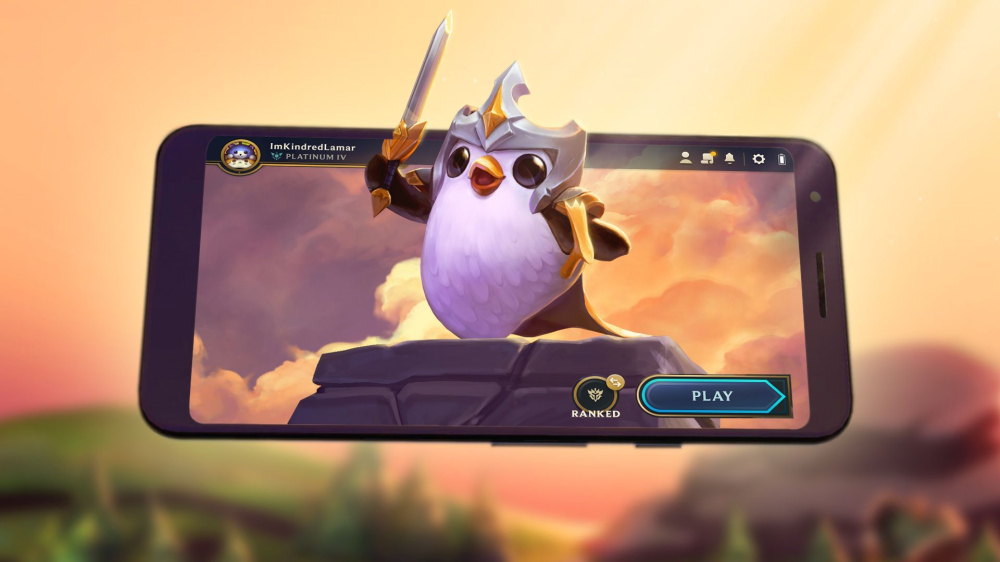
Explore TFT mobile vs PC differences, crossplay support, and choose your platform with our in-depth guide.
Teamfight Tactics has taken the gaming world by storm, captivating millions of players on both mobile and PC. As Riot Games' popular auto-battler, it offers the same core strategic experience across platforms, but each version has its own quirks and adaptations. If you're wondering whether TFT mobile matches the PC experience or how crossplay works, you're in the right place. Let's dive into the differences and what they mean for your gameplay.
Core Gameplay: Same Strategy, Same Depth
At its heart, TFT is identical whether you're on mobile or PC. You buy champions from a shared pool, position units on a hex grid, combine copies to star them up, equip items, and manage your economy. The auto-battler genre means success comes from strategic decisions, not twitch reflexes. That's true on any device. You can switch between mobile and PC without losing your competitive edge because the strategic layer is platform-agnostic. Economy management, team composition, positioning, scouting, and item prioritization are all the same.
User Interface: Tailored to Each Platform
One of the biggest differences lies in the user interface. Mobile is designed for touch, with a streamlined bottom navigation bar, larger buttons, and a simplified shop that slides up. You can drag units, swipe through options, and pinch to zoom. The social menu is compact, letting you invite friends and manage lobbies without cluttering the screen. PC, on the other hand, takes advantage of a bigger monitor. You get more information at once, detailed tooltips when you hover over items or abilities, and precise cursor control. Hotkeys allow for rapid actions like refreshing the shop, and you can open multiple windows to view stats and combat logs simultaneously. These design choices reflect Riot's commitment to optimizing each version for its natural input method.
Visual Style and Performance: Small Screen Adjustments
Visually, TFT mobile makes some compromises for smaller screens. It uses brighter colors and higher contrast to keep elements readable. Ability effects are simplified to reduce visual clutter, and key UI pieces like champion cards are proportionally larger. The PC version retains the original visual fidelity, with more detailed animations and effects. Performance can also differ. On mobile, the game runs smoothly in early rounds, but as the board fills up, you might notice lag. Around round 4-7, when multiple units are fighting, some devices have experienced freezing, though updates have improved this. Units with jump animations, like Yasuo and Darius, can cause extra strain. Screenshots have also been known to freeze the game on mobile, forcing a reset. The game requires a fairly powerful phone, with 64-bit architecture and ample storage, so performance will vary by device.
Crossplay and Progression: One Account, Two Worlds
A common question is whether TFT mobile and PC are cross-platform. The answer is yes, but with some caveats. You can log into the same Riot Games account on both mobile and PC, and your progress, cosmetics, and rank carry over. That means you can start a match on PC and continue on mobile, or vice versa, as long as you're in the same region. However, crossplay in ranked queues is not always enabled. In some seasons, Riot has allowed cross-platform play between mobile and PC, but they've also experimented with separate matchmaking pools for mobile and PC players to ensure fairness. As of September 2026, you can play with friends across platforms in normal games, but ranked queues may be segregated by platform. It's best to check the current season's patch notes for the latest crossplay rules.
Platform-Specific Features and Social Tools
Mobile and PC also differ in social features. On mobile, the friends list is basic, showing who's online, but there's no in-game chat as of now. PC offers more robust communication tools, including chat and voice, although voice is not available in all modes. The mobile client also lacks some of the detailed stats and combat logs that PC players can access. However, mobile makes it easy to jump into a quick game on the go, with a streamlined menu that gets you into a match in seconds. Both platforms allow you to customize your Little Legend, arena, and emotes, and these cosmetics sync across devices.
Which Platform Should You Choose?
Ultimately, the choice between TFT mobile and PC comes down to your preferences and situation. If you value precise control, detailed information, and a stable performance, PC is the way to go. If you want the flexibility to play anywhere, with touch controls that are surprisingly intuitive, mobile is a great option. Many players use both, taking advantage of cross-progression to grind ranks on PC and play casual matches on mobile. As long as you understand the UI differences and performance quirks, you can enjoy TFT on either platform.
Whether you're a PC veteran curious about mobile or a mobile player thinking about trying the original, both versions offer the same strategic depth. So pick your platform, log in, and get ready to outsmart your opponents. The convergence of TFT across devices is a testament to Riot's design, making it easier than ever to enjoy this beloved auto-battler wherever you are.
📚 Related Guides
Where Winds Meet Silkbind Deluge PvP vs PvE Build Differences
Understand why Silkbind Deluge is primarily a PvE healer build and which PvP details still need separate testing in Where Winds Meet.
Halloween the Game crossplay and cross-progression explained
Here's what you need to know about turning Halloween the Gam…
Where Winds Meet Multiplayer Co-op Crossplay Explained: A 2025 Guide
Understand Where Winds Meet co-op, party limits, crossplay, and what works in multiplayer.
Terraria Teams Finally Meet at Gamescom 2026 — Crossplay 'On Deck'
At Gamescom 2026, the two Terraria dev teams met face-to-face for the first time since the pandemic, sparking talks on collaboration and future updates, with crossplay now 'on deck'.
The Division 2 Drops Echoes of Central Park DLC News and Crossplay at Gamescom 2026
At Gamescom 2026, Ubisoft Massive unveiled Echoes of Central Park DLC for The Division 2 and confirmed crossplay arrives in November. Here's everything you need to know.
Once Human Hits PS5 & Xbox Series X|S with Full Crossplay
The free-to-play survival game Once Human is now on PS5 and Xbox Series X|S, with crossplay across all platforms. Here's what you need to know.